Military photo restoration
Restore Military Photos Online with AI
Bring wartime portraits, service photos, and faded album prints back into focus. Same AI photo restoration pipeline as our main tool — free to try in your browser.
Free · No signup · Photos deleted in 48 hours
Start free. Preview without a signup or credit card.
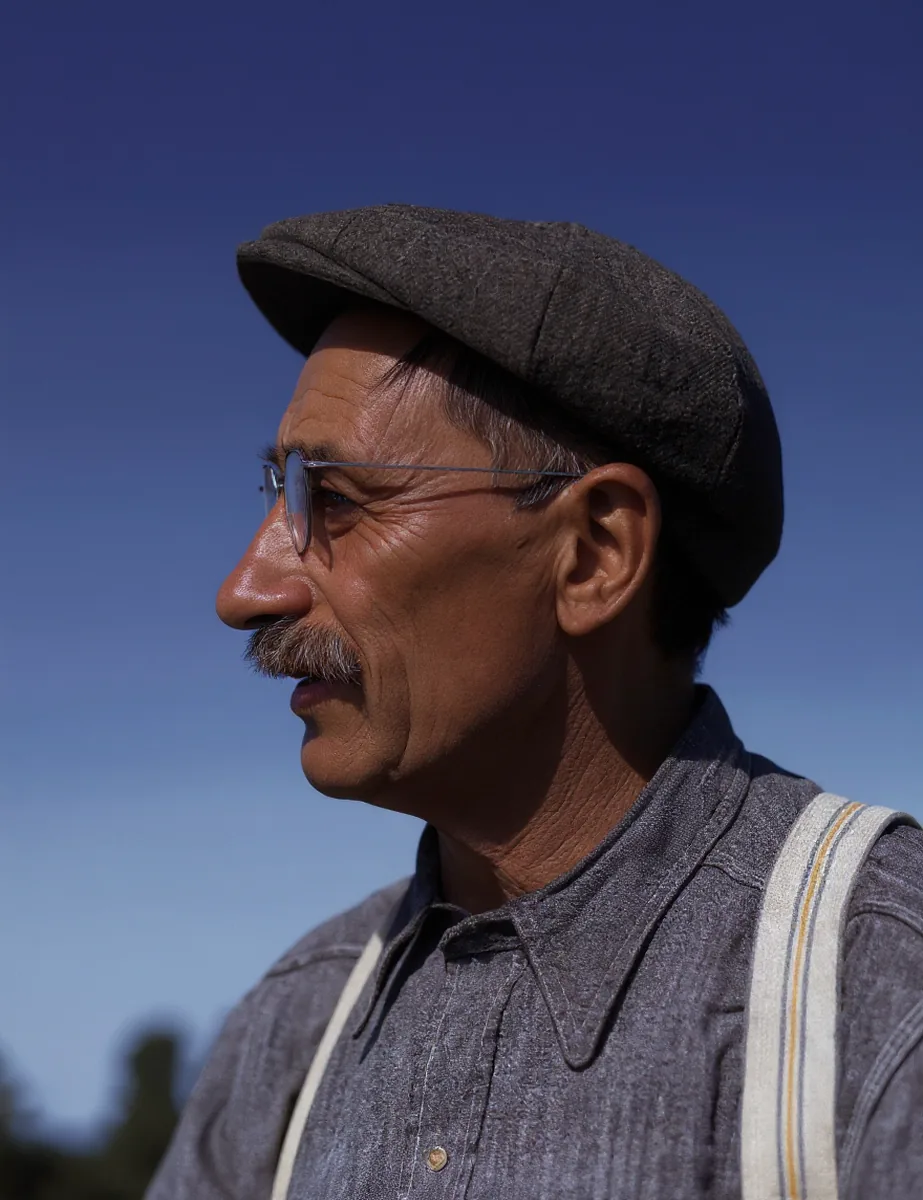
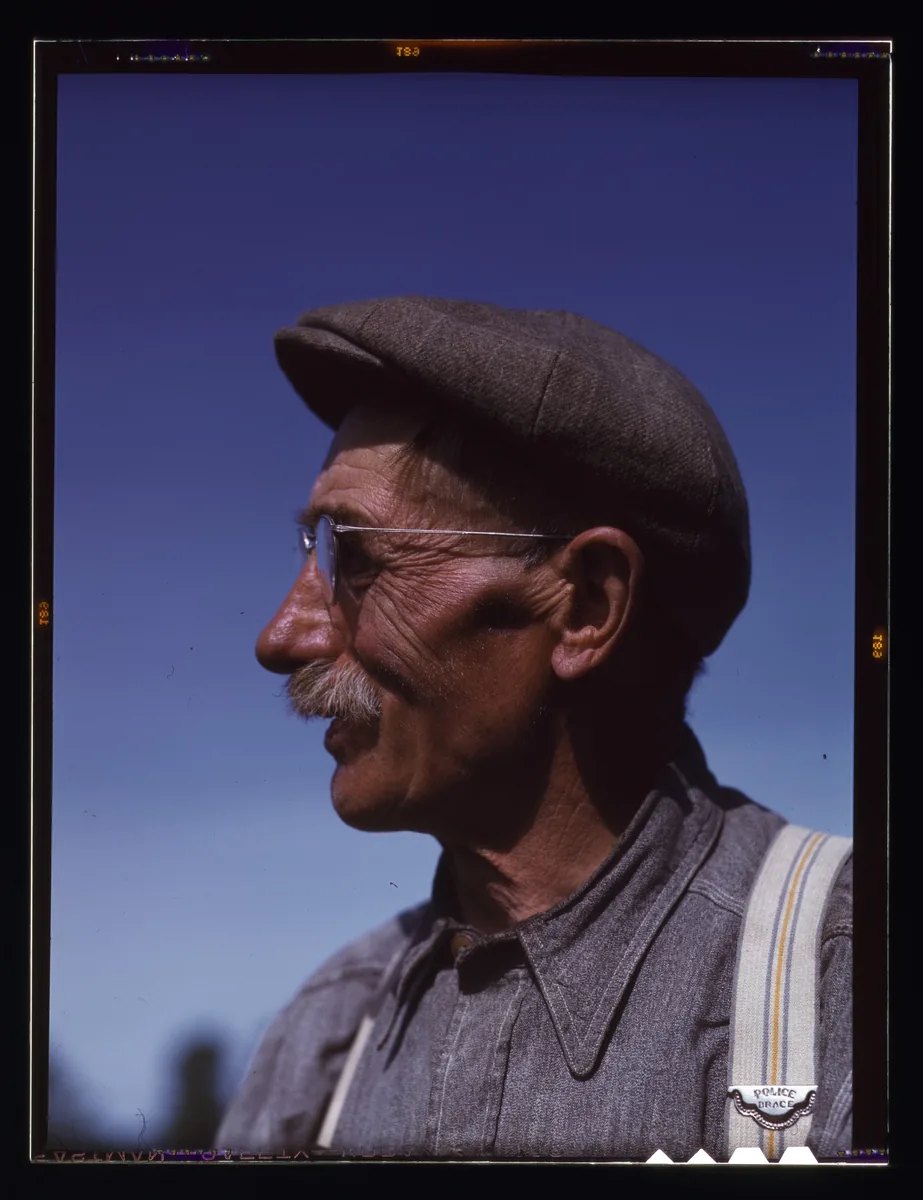
Demo uses a 1942-era portrait to show the same AI pipeline (not a uniformed service photo). Drag to compare.
Why this page
Military Photo Restoration for Family Archives
Families searching for military photo restoration usually have a small stack of service portraits, boot-camp group shots, or wartime home-front prints. The damage is familiar: soft focus, yellowed paper, light scratches, and faces that look muddy on a phone screen. RePhotoLab is built for that first digital pass — clearer faces and cleaner prints you can share at a reunion, memorial, or family book.
This page uses the same cloud models as our AI photo restoration guide. There is no separate "military mode." What changes is the intent: keep originals safe, treat colors as guesses, and do not present an AI file as an unaltered archival record.
What improves
What AI Can Improve on Military Photos
Soft or low-resolution portraits
Wallet prints and early copy photos often look soft when enlarged. Upscaling and face-focused restoration usually make eyes, collars, and hairlines clearer on modern screens and small reprints.
Scratches, dust, and light creases
Many album prints carry emulsion cracks, dust from scanners, and light folds. The model often reduces those marks while restoring detail. Deep tears or missing corners will still show.
Faded contrast and yellow casts
Aging paper and film can flatten contrast or shift toward yellow-brown. Restoration often opens shadows and cleans the overall tone so faces read more clearly.
Black-and-white colorization (optional side effect)
B&W and sepia uploads are frequently colorized in the same pass. Skin tones may look natural; uniform branch colors, ribbons, and painted backdrops are easy for the model to guess wrong. Keep a monochrome master when accuracy matters.
Honest limits
Limits for Wartime and Service Photos
- Missing pieces stay missing. Torn corners or covered faces cannot be recovered with true original detail.
- Insignia can be invented or distorted. Tiny rank badges and medals may look sharper but not historically correct.
- Group photos help less. Faces that are only a few pixels wide improve only slightly — crop a single person when one face matters most.
- Do not treat AI output as the archival original. For genealogy, museums, or legal use, keep the unedited scan and document that the download is a restored copy.
Questions about privacy or billing go to support@rephotolab.com.
How to prep
How to Scan or Photograph Military Prints
- Scan flat at about 300 DPI when you can; avoid phone shots into glass frames with glare.
- Crop album mats and white borders so the model focuses on the portrait.
- For unit photos, crop the person you care about before uploading.
- Keep the original file. Try again later with a better scan if needed.
- Compare before and after carefully before sharing a restored service portrait publicly.
How it works
Restore a Military Photo in Three Steps
- Upload. Choose a JPG, PNG or WebP file from your phone or computer.
- AI restores. Faces sharpen, many surface marks improve, and B&W images are often colorized. Usually under a minute.
- Compare and download. Check the result against the original, then save what you want to keep.
Guests get 1 free photo per day (watermarked, max 1024px). Google sign-in gives 2 per day (up to 20 a month). Credit packs unlock watermark-free, full-resolution exports — see pricing.
FAQ
Military Photo Restoration FAQ
Can I restore military photos on this page?
Yes. Upload a JPG, PNG or WebP scan or phone photo of a military portrait, unit photo, or wartime family print. The same AI used elsewhere on RePhotoLab sharpens faces, reduces many surface marks, and often colorizes black-and-white images in one pass.
Will uniforms and medals look historically accurate?
Not guaranteed. The model improves clarity and often guesses color. Ribbon colors, branch shades, and insignia detail can be wrong. Keep your original scan as the archival master, especially for genealogy or museum use.
Do I need an account?
No. Guests get 1 free photo per day without an account (watermarked, max 1024px). Sign in with Google for 2 free photos per day (up to 20 per month, also watermarked). Credit packs unlock watermark-free, full-resolution exports at 1 credit per photo.
How long does restoration take?
Usually under a minute. Larger files or busy periods can take a little longer. The upload box shows progress while you wait.
Are my military photos stored forever?
No. Uploaded originals and restored results are deleted automatically within 48 hours. Download anything you want to keep before then. Photos are not used to train AI models.
Is military photo restoration free?
Yes for a limited daily preview. Guests get 1 free photo per day (watermarked, max 1024px). Google sign-in gives 2 per day (up to 20 per month). Credit packs from $4.9 unlock watermark-free exports.
Related
Keep exploring
- AI photo restoration — full guide to faces, scratches, fading, and limits.
- Free old photo restoration — try the same tool on the homepage.
- Pricing — free tiers and credit packs.